Payment methods, payment terms and card prices
Add the ways customers pay you, say when an invoice falls due, and choose how card and cash prices show on estimates and invoices.
For owner, manager · checked against the product on 2026-11-03
Three small settings decide how money is described at your counter: the list of payment methods a person picks from when they record a payment, the payment terms an invoice is issued under, and whether customers see one price or a cash price and a card price. All three are under Settings in the Payments section.
Add a payment method
Step 1: Open Payment methods
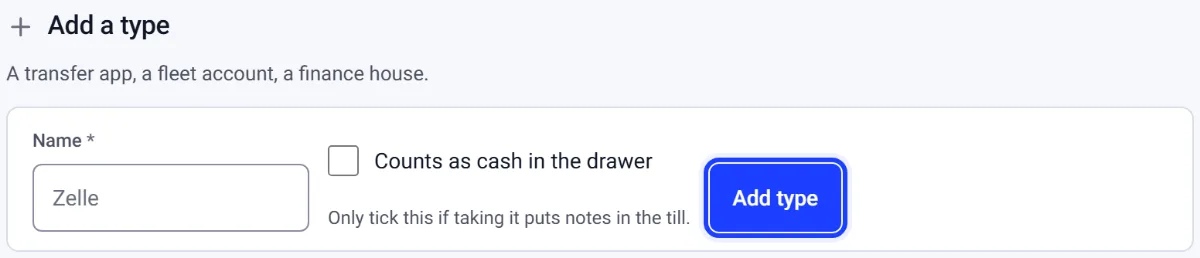
Go to Settings › Payment methods and find Add a type.
Step 2: Name it
Fill in Name, such as Zelle. Tick Counts as cash in the drawer only if taking it puts notes in the till.
Step 3: Press Add type
Press Add type. Use the arrows on Your types to put the ones you use most first.
A method you no longer take can be retired with Retire. It leaves the list people pick from and stays in every report it already appeared in.
Add a payment term
Step 1: Open Payment terms
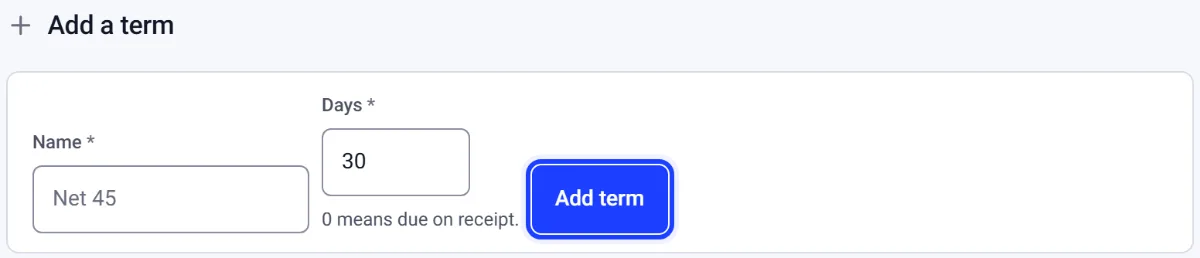
Go to Settings › Payment terms and find Add a term.
Step 2: Name it and give the days
Fill in Name, such as Net 45, and Days. 0 means due on receipt.
Step 3: Press Add term
Press Add term. The next invoice issued under it carries its due date.
The term is read when an invoice is issued and the date is written onto it, so editing a term changes what your next invoice says and never moves one already issued. A customer can carry their own term, and theirs wins.
Show a cash price and a card price
Step 1: Open Surcharge and dual pricing
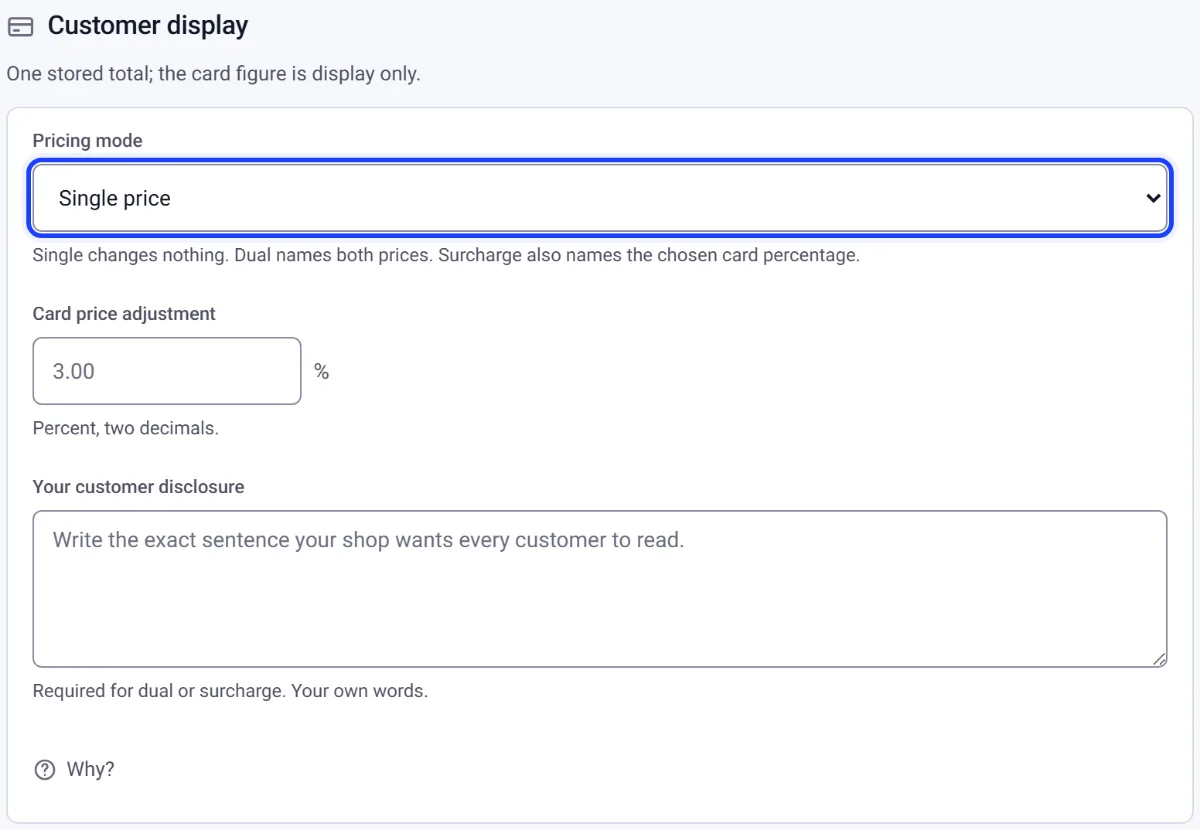
Go to Settings › Surcharge and dual pricing and find Customer display.
Step 2: Choose the pricing mode
Pick Pricing mode: Single price changes nothing; dual names both prices; surcharge adds the card percentage.
Step 3: Give the rate and your words
Fill in Card price adjustment and Your customer disclosure, in your own words.
Step 4: Save
Press Save payment pricing. New estimates and invoices freeze the choice; ones already issued stay as they are.
The total on a repair order and an invoice stays one stored amount in cents. The card figure is worked out only for display. This setting does not charge a card or choose a processor.