Your effective labor rate
What an hour of billed labor actually sold for — labor sold divided by the hours billed — where to read it, and why an older month says Not recorded.
For owner, manager · checked against the product on 2026-11-02
Read your effective labor rate
Step 1: Find the card
Open Reports and find Effective labor rate.
Step 2: Compare the two months
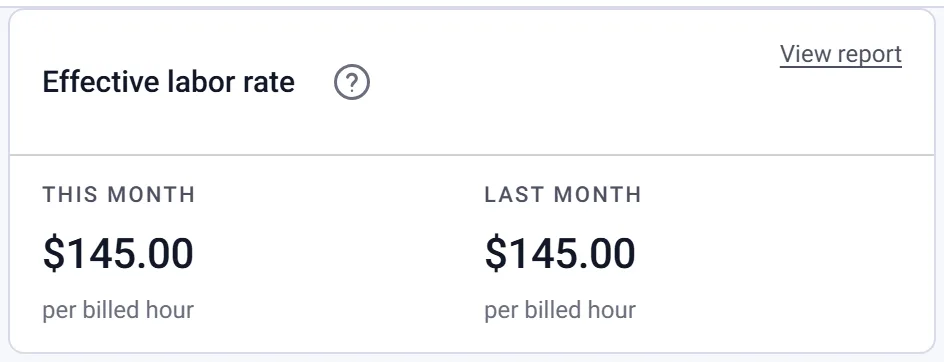
This month and Last month each say what an hour of your labor really sold for.
Step 3: See the invoices behind it
Press View report.
Open Reports. Under gross profit sits the Effective labor rate card, with This month and Last month. Each is the labor on the invoices raised in that month divided by the hours billed on them: dollars per billed hour, worked out in whole cents and rounded once.
View report opens the Sales Summary on those two months. Its Billed hours and Effective labor rate columns sit beside Labor on every month, and each month on the card is that report's row to the cent. For any other dates, pick them on the report.
The same rate on the other sales reports
- Service Writer Performance — billed hours and the rate for each service writer, in the same row as their Average ticket.
- Sales by technician — the rate for each technician, from their share of the labor and hours on the jobs they worked.
- Sales by line item with Show detail — the hours on every labor line.
- Order Profitability — the Labor hours and the rate on every job.
- All Invoices — the Labor hours on every invoice.
Why it is not your labor rate
It rises when work sells for more than your rate, such as a labor matrix band. It falls when hours sell for less: a customer's own rate, a line priced under the rate, or a no-charge invoice, whose hours count at $0. A discount does not lower it. Labor is counted before discounts, and the Sales Summary shows them in their own column.
It is billed hours, not clocked hours. How long the work took against what was billed is efficiency, on Technician performance.
When a month says Not recorded
Torqix has kept each labor line's hours as a number since late October 2026. An invoice it issued or imported before then keeps them only in its printed line, and these figures are never read back out of printed text. A month holding one of those invoices shows Not recorded, with how many invoices it is, instead of a rate built from part of the month. The reports leave the same cells blank and say why above the table. On Reports, the Hours sold column under Revenue by month says Not recorded for such a month too.
A dash with no hours billed means the month has no billed hours yet. That is not a rate of zero.
Who sees it
It is a money figure. The card is shown only to somebody whose access includes sales, and customer view hides it with the rest of the money. The rate for each service writer or technician also needs access to what each person sold — see who can see what a part cost you. Demo and test invoices are never in it for a real shop, and another location's invoices are never in this one's.